Making local speech feel responsive
Kokoro produces natural-sounding speech, but a straightforward install on a Raspberry Pi makes you wait for a whole passage before hearing anything. Kokoro Pi packages the speech engine from my Pi-based assistant into a local service that starts speaking clause by clause.
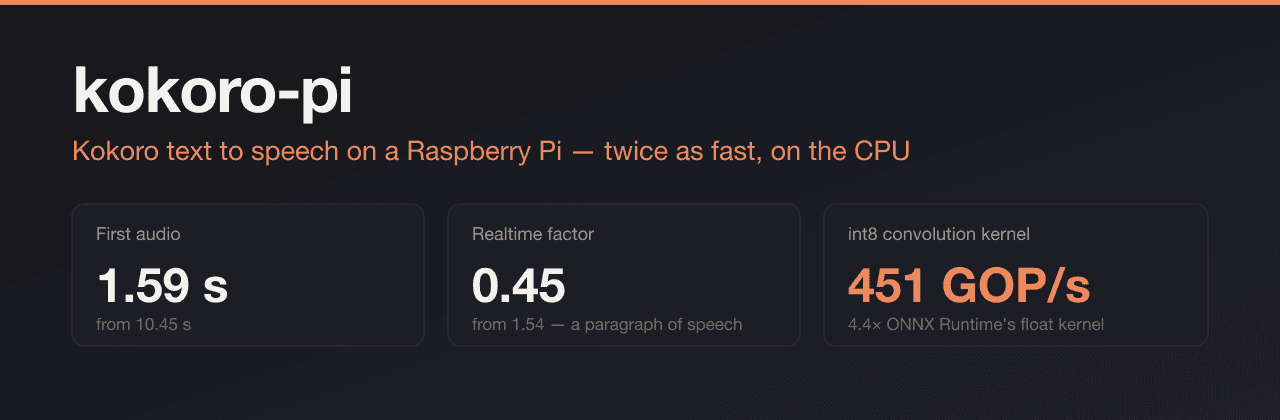
The project combines ONNX graph optimizations with native C++ kernels, including a fused int8 convolution path for ARM. It builds on Kokoro-82M and kokoro-onnx rather than training a new voice model, and runs entirely on the CPU.
In the repository's Raspberry Pi 5 paragraph benchmark, first audio arrived in 1.59 seconds rather than 10.45 seconds for a plain PyTorch install, using the same model and voice. The published listening samples let you compare the upstream, float, and int8 builds yourself.
Text input
Speech on the Pi
Streaming audio
Capabilities
Local speech
- Clause streaming
- Send audio as each clause finishes instead of waiting for the full passage.
- Native ARM kernels
- Fuse vocoder operations and int8 convolutions to make better use of the Pi's CPU.
Integrations
- OpenAI-compatible speech API
- Use existing speech clients through the familiar audio endpoint and voice names.
- Home Assistant and Python
- Connect through the Wyoming protocol or use the Python library as a replacement for kokoro-onnx.
Setup and quality
- Install and run locally
- Install from PyPI or use the service installer, with configuration for voices, ports, and access keys.
- Build, compare, and validate
- Derive optimized models from the upstream export, then compare speed and audio quality across upstream, float, and int8 variants.